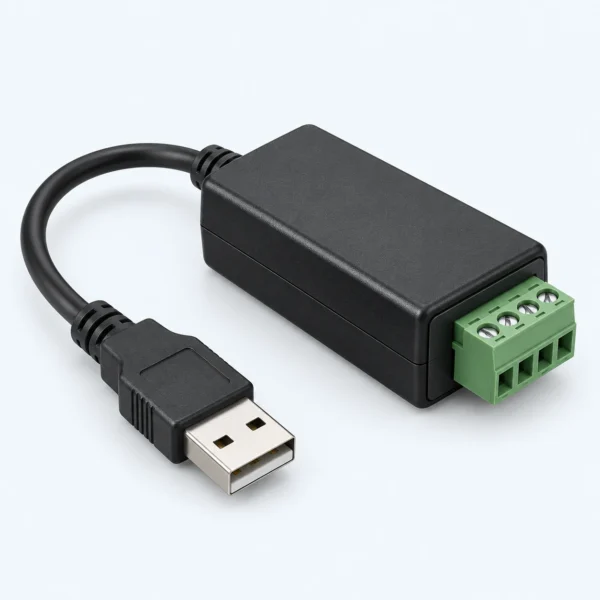
The USB CAN Adapter connects a host USB interface to a defined CAN network for development, diagnosis, logging, or commissioning. This page is an unbranded request-for-quotation entry for an application-specific product type, not a fixed stocked model. Share the assembly, interface, environment, quantity, and documentation requirements so the proposed supply boundary can be reviewed before quotation.
USB CAN Adapter Selection and RFQ Requirements
A USB to CAN converter does not by itself confirm application-layer compatibility. The host software and target network configuration must be reviewed. The review begins with the function of the item in the robot, then separates mechanical fit, electrical or material requirements, operating conditions, service access, and verification. Similar-looking parts are not treated as interchangeable. Drawings, connector schedules, photographs of mating interfaces, and revision-controlled bills of materials are more useful than a product-family name alone.

How to specify the USB CAN Adapter
Provide the intended function and identify the two interfaces or assembly boundaries that the item connects. The initial review should address the following points:
- Host Operating Environment And USB Connector: provide the drawing, schedule, or requirement that controls this decision.
- CAN Generation, Channel Count, And Isolation Needs: provide the drawing, schedule, or requirement that controls this decision.
- Connector And Pin Assignment At The Network Side: provide the drawing, schedule, or requirement that controls this decision.
- Driver, API, Timestamping, Termination, And Tooling Expectations: provide the drawing, schedule, or requirement that controls this decision.
Identify the host operating system, USB connector, software environment, target CAN generation, required channel count, and network connector. State whether isolation, termination switching, timestamping, logging, trigger I/O, galvanic reference, or CAN FD operation is required. Provide the application-layer tool or API expectation separately from the physical CAN interface. Cable and connector pin assignments must be documented, and driver availability must be confirmed for the actual host rather than inferred from USB connectivity.
Configuration, Interfaces, and Quoted Scope
The USB CAN adapter is a single interface device inquiry. Cables, termination, galvanic isolation, software, license rights, and CAN FD capability are included only when the quote says so. The quotation should identify the exact deliverable, quantity, revision, and supplied state. It should also list excluded mating parts, customer-provided items, required tools, documentation, and acceptance evidence. Options may be compared, but they remain alternatives until a specific configuration is approved.
A USB to CAN bus adapter, USB to CAN converter, or USB CAN dongle can describe the same broad function but not the same driver, API, isolation, connector, or timing capability. A CAN FD USB adapter additionally needs confirmed support for the intended CAN FD operating mode. None of these labels alone establishes compatibility with the target application software.
USB CAN Adapter verification before quotation
- Confirm product identity from controlled drawings, interface definitions, or an approved sample.
- Review mechanical, electrical, material, environmental, and motion requirements as separate evidence sets.
- Record every included component and accessory, including both mating halves where applicable.
- Agree the inspection, continuity, dimensional, visual, functional, or documentation checks relevant to the item.
- Freeze the approved revision before production quantities or interchangeability are discussed.
An Engineering reference is provided as background for preparing the inquiry. It does not define the specification of a proposed item or certify that a generic product meets the application.
Inquiry Checklist
- Robot subsystem, installation location, function, and development phase
- Interface drawings, connector or part identities, revision, and mating direction
- Operating duty, routing or load conditions, environment, and maintenance expectations
- Required included items, tools, files, labels, packaging, and inspection documents
- Prototype quantity, production estimate, destination, and target schedule
Submit the available information through the RobotPiece quote list or contact page. Related product-type inquiries are organized under the Drives category.
For a USB to CAN bus adapter, provide the host connector, driver environment, target network connector, channel count, and grounding arrangement. A compact USB CAN dongle may still require isolation, termination, or a separate cable that is not visible in a product image. If the application needs a CAN FD USB adapter, state that requirement explicitly together with the intended host API and target network mode.
Frequently Asked Questions
Does a USB CAN adapter include CANopen software?
Not automatically. CANopen configuration, monitoring, libraries, licenses, and device descriptions are separate application-layer items and must be identified in the quotation.
Is galvanic isolation or switchable termination included?
Only when the selected adapter specification and quotation state it. Provide the network grounding and termination arrangement so those needs can be checked.
Does the illustration define the delivered usb can adapter?
No. The cover is a conceptual product-type illustration, not a photograph of a confirmed model. Actual dimensions, materials, connectors, finish, markings, included items, and supplied documents must be stated in the approved quotation.
